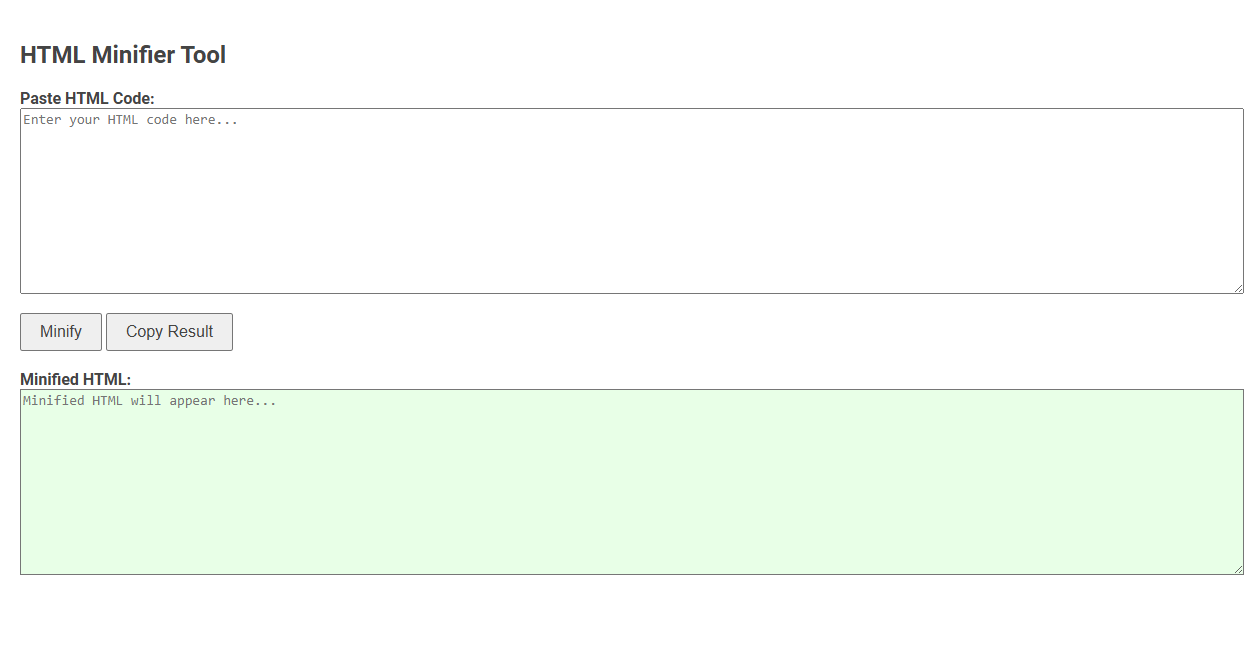
The HTML Minifier Tool removes unnecessary spaces, line breaks, and comments from HTML code to reduce file size and improve web page load speed. This optimization enhances website performance and decreases bandwidth usage. Users simply paste their HTML code, click "Minify," and copy the streamlined result for deployment.
How to use this tool?
Complete Guide: How to Use the HTML Minifier Tool
-
Open the Tool:
Access the HTML Minifier Tool in your browser. -
Paste Your HTML Code:
In the textarea labeled Paste HTML Code, paste or type the HTML code you wish to minify. -
Minify the Code:
Click the Minify button located beneath the input area. The tool will process and remove unnecessary spaces, newlines, and comments from your HTML. -
View Minified HTML:
The minified HTML will appear in the Minified HTML section, highlighted in a light green box. -
Copy the Result:
To quickly copy the minified code, click the Copy Result button. The tool will copy all content from the Minified HTML box to your clipboard. -
Use the Minified HTML:
Paste the copied minified HTML wherever you need in your project or deployment pipeline.
Tips
- This tool only removes unnecessary whitespace and comments; it does not change or optimize your HTML logic.
- Minified HTML loads faster in browsers, making your website more efficient.
- If you encounter any issues, make sure your original HTML is valid and well-formed before minifying.
Introduction to Free Online HTML Minifier Tools for Blogger
Free online HTML minifier tools streamline website performance by reducing HTML file size without altering functionality. Bloggers benefit from faster page load times and improved SEO rankings by removing unnecessary spaces, comments, and code. Popular tools like Minify Code and HTMLMinifier offer user-friendly interfaces that optimize HTML efficiently for enhanced blog responsiveness.
Benefits of Minifying HTML Code in Blogger
Minifying HTML code in Blogger reduces file size by removing unnecessary spaces, comments, and line breaks, which speeds up your website loading times and improves user experience. It enhances SEO performance by making your blog more crawlable and efficient for search engines. Optimizing your HTML also lowers bandwidth usage, leading to faster page delivery and better overall site performance.
How the HTML Minifier Tool Works
An HTML minifier works by removing unnecessary characters such as whitespace, comments, and line breaks from your HTML code without altering its functionality. This process reduces file size and improves website loading speed by streamlining the code your browser processes. You can use the HTML minifier tool to optimize your web pages for faster performance and better SEO.
Step-by-Step Guide: Using the Free HTML Minifier for Blogger
Step-by-Step Guide: Using the Free HTML Minifier for Blogger enhances website performance by reducing file size and improving load times. Begin by copying your Blogger HTML code into the free HTML minifier tool, then execute the minification process to remove unnecessary spaces, comments, and line breaks. Finally, replace your original Blogger template code with the minified version to optimize page speed and SEO effectiveness.
Essential Features of the Online HTML Minifier Tool
An online HTML minifier tool efficiently reduces file size by eliminating unnecessary spaces, comments, and line breaks without affecting code functionality. Key features include real-time minification, support for multiple HTML versions, and seamless integration with other web development tools. These capabilities enhance website performance by improving load times and optimizing bandwidth usage.
Copying and Integrating Minified HTML in Blogger
Copying and integrating minified HTML in Blogger enhances your site's loading speed by reducing file size and eliminating unnecessary spaces. You can paste the minified HTML directly into Blogger's HTML editor to ensure seamless integration without affecting page structure. This optimization improves user experience and boosts SEO performance.
Tips for Ensuring Safe and Effective HTML Minification
Ensure safe and effective HTML minification by backing up your original files before processing to prevent data loss. Validate your minified HTML using tools like W3C Validator to catch errors early. You should also avoid minifying inline JavaScript or CSS that could impact page functionality.
Improving Blogger Site Speed with HTML Minification
Improve your Blogger site speed by using an HTML minifier to reduce file size and eliminate unnecessary code. Minifying HTML enhances page load times, leading to better user experience and higher search engine rankings. Optimize your site performance by implementing HTML minification strategies tailored for Blogger platforms.
Frequently Asked Questions about HTML Minifiers
HTML minifiers reduce file size by removing unnecessary characters like spaces, comments, and line breaks without affecting code functionality. Common questions include how minification impacts website performance, compatibility with CSS and JavaScript, and whether it affects debugging. Developers frequently ask about tools such as HTMLMinifier, Minify, and online services, which offer efficient and automated HTML minification solutions.
HTML minifier Tool Preview