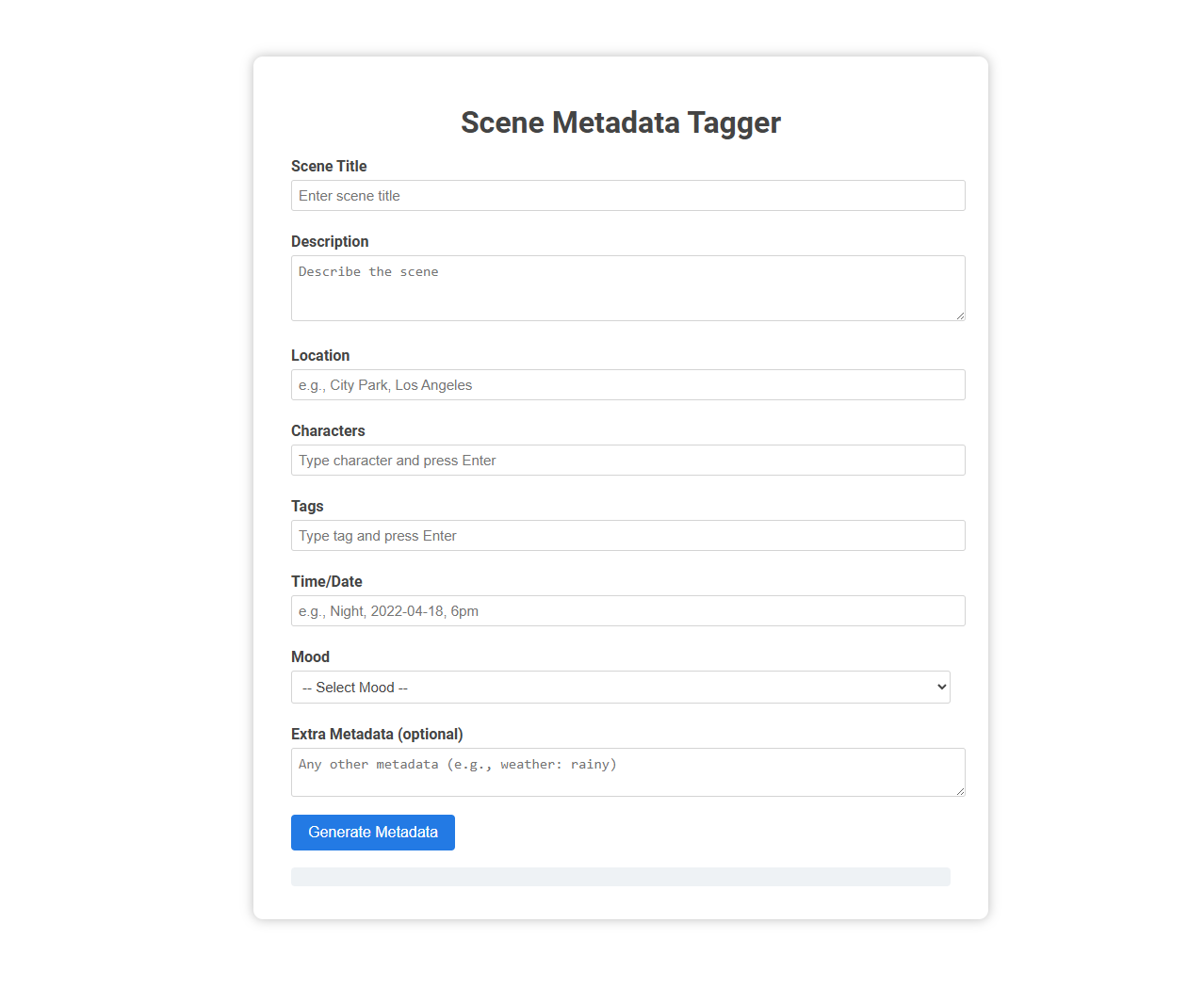
The Scene Metadata Tagger tool enables users to organize and annotate scene details by entering structured metadata such as title, description, location, characters, tags, time/date, mood, and extra attributes. This facilitates efficient scene management, streamlined searching, and enhanced collaboration in media production, screenwriting, or content archiving projects. Usage involves filling the provided fields and generating standardized metadata for each scene.
How to use this tool?
Complete Guide: How to Use the Scene Metadata Tagger Tool
-
Scene Title
Enter a short, descriptive title for your scene in the "Scene Title" field. Example: Chase at the Docks. -
Description
Fill in a detailed description of the scene. This should include key actions, events, or visual elements to give a clear summary. -
Location
Specify the location of your scene. Format as place, city if needed. Example: Central Park, New York. -
Characters
List all characters present in the scene. Type a character's name and press Enter to add each one. -
Tags
Add relevant tags that best describe elements or themes of the scene (e.g., action, night, emotional). Type a tag and press Enter to add each one. -
Time/Date
Indicate when the scene takes place. You can specify the part of day, date, and/or time. Example: Night, 2022-04-18, 6pm. -
Mood
Select the mood that best conveys the emotional tone of the scene from the dropdown menu. -
Extra Metadata (optional)
Add any additional relevant metadata. This could include weather, special circumstances, or unique visual notes. Example: weather: rainy, crowd: large. -
Generate Metadata
Once all fields are completed to your satisfaction, click the blue Generate Metadata button. The metadata for your scene will be created based on your inputs.
Tips:
- Fill in all fields as specifically as possible for best results.
- Use consistent formats for easy organization and searching later.
- Leverage tags and extra metadata to make your scenes easy to filter and find.
Introduction to Scene Metadata Tagging for Video Organization
Scene metadata tagging enhances video organization by automatically labeling distinct scenes with relevant descriptive information. This process improves content retrieval and indexing by associating key attributes such as characters, locations, and actions to specific video segments. Effective scene metadata tagging streamlines video management and supports advanced search capabilities in large media libraries.
Benefits of Using a Free Online Tool for Tagging Scenes
Using a free online scene metadata tagger enhances your content organization by automatically generating accurate and detailed tags. It saves time and reduces manual errors, improving searchability and content management efficiency. Accessing this tool requires no installation, providing immediate, user-friendly benefits for all your tagging needs.
Getting Started: Accessing the Scene Metadata Tagger Tool
Access the Scene Metadata Tagger tool by logging into your designated platform with your user credentials. Navigate to the main dashboard and locate the Scene Metadata Tagger under the tools menu to begin. You can start tagging scenes immediately after importing your multimedia files into the tool.
Adding Scene Titles for Effective Categorization
Scene metadata tagger enhances your content organization by adding precise scene titles that improve searchability and user experience. Accurate scene titles enable effective categorization, making it easier to locate specific moments within large video collections. Integrating this tool helps optimize content management workflows and boosts overall metadata quality.
Writing Detailed Scene Descriptions for Better Searchability
Scene metadata taggers enhance content discoverability by generating detailed, context-rich scene descriptions that improve search accuracy. Incorporating specific elements like characters, actions, settings, and emotions ensures metadata captures the full narrative scope. Rich scene descriptions enable advanced filtering and precise retrieval, optimizing user experience across media platforms.
Specifying Location Data to Enhance Scene Context
Scene metadata tagger improves content organization by specifying precise location data, such as GPS coordinates and landmarks, to enhance scene context. Integrating detailed geographic information allows for more accurate search results and enriched user experiences in multimedia databases. Location tagging supports advanced filtering and analytics, driving better content discovery and contextual relevance.
Tagging Characters to Enable Advanced Filtering
Scene metadata tagger enhances content organization by accurately tagging characters within scenes. Tagging characters enables advanced filtering, allowing users to quickly search and sort scenes based on specific personas. This capability improves user experience by streamlining access to desired content through precise character identification.
Leveraging Tags for Thematic and Elemental Classification
Scene metadata tagger enhances content organization by leveraging tags for precise thematic and elemental classification. It systematically assigns descriptive keywords that capture key themes, characters, and settings, enabling efficient search and retrieval. This targeted tagging improves content discoverability and supports advanced analytics for media management.
Enriching Scenes with Time, Date, and Mood Metadata
Scene metadata tagger enriches your scenes by embedding precise time, date, and mood information, enhancing content organization and retrieval. Leveraging advanced algorithms, it accurately tags visuals with temporal and emotional context to improve searchability and user engagement. This ensures your media assets are systematically classified for efficient management and personalized experiences.
Scene metadata tagger Tool Preview