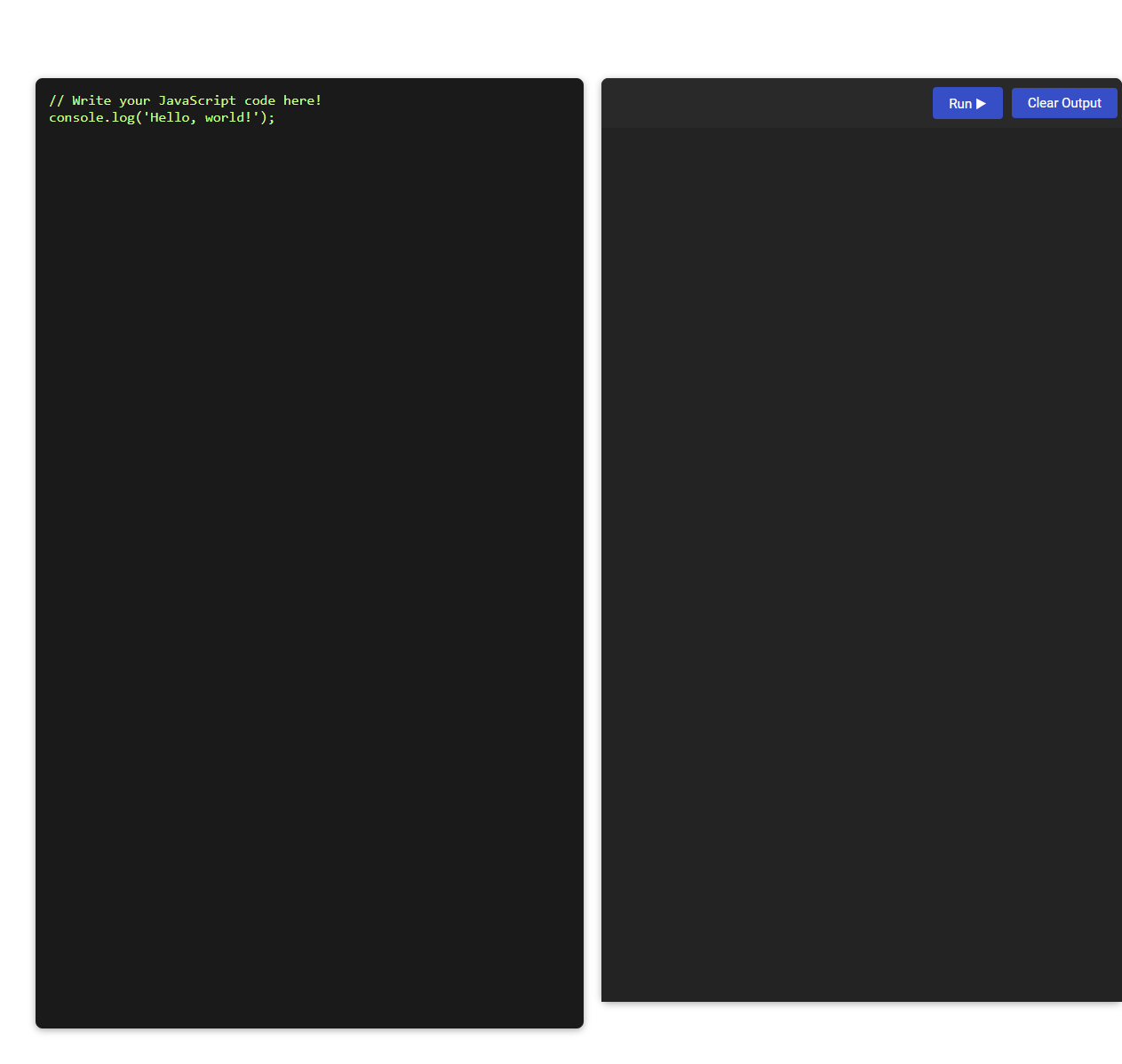
This JavaScript code editor tool enables users to write, execute, and debug JavaScript code directly in the browser. It is designed for learning, rapid prototyping, and immediate feedback without the need for local setup. Users can type code in the editor, run it with a single click, and view output or errors in real time.
How to use this tool?
Complete Guide: How to Use the JavaScript Code Editor Tool
-
Understand the Layout:
- Left Panel: This is the JavaScript code editor area where you can write or paste your JavaScript code.
- Right Panel: This area displays the output from your code when you run it. There are also two buttons at the top: Run and Clear Output.
-
Write Your Code:
- Click on the left panel where it says
// Write your JavaScript code here!. - Type your JavaScript code in this space. For example, you can enter
console.log("Hello, world!");to print a message to the output.
- Click on the left panel where it says
-
Run Your Code:
- After writing your code, click the Run button (blue button with a play icon) at the top right of the output panel.
- The results will be shown in the right panel under the buttons. For example, if you use
console.log, the output will appear here.
-
Clear the Output:
- If you want to clear the right panel output, click the Clear Output button (next to the Run button).
-
Edit and Rerun:
- You can freely edit the code in the left panel at any time.
- Click Run again to execute your new or updated code and see the results.
-
Tips for Usage:
- You can write any standard JavaScript code, including variables, functions, loops, and more.
- Use
console.log()statements to view outputs, debug, or inspect values in the right panel. - If your code causes errors, error messages will also be shown in the right output panel.
- Click Clear Output to reset the output view before running new code, if desired.
Example Use
// Write your JavaScript code here!
for(let i = 1; i <= 5; i++) {
 console.log('Number:', i);
}
Click Run to see the output (should display "Number: 1", "Number: 2", etc. in the right panel).
Summary
This JavaScript editor tool allows you to quickly write, test, and debug code. The left panel is for writing code, the right panel displays results, and the buttons help you execute or clear outputs. Experiment freely and use console.log() for best results!
Introduction to Free Online JavaScript Code Editors
Free online JavaScript code editors offer a convenient platform for writing and testing JavaScript code directly in your browser without any installation. Popular options like CodePen, JSFiddle, and Replit provide rich features such as syntax highlighting, live preview, and collaborative coding environments. These tools empower you to quickly prototype, debug, and share your JavaScript projects with ease.
Key Features of JavaScript Online Editor Tools
JavaScript online editor tools offer real-time syntax highlighting and error detection to enhance your coding accuracy. They provide integrated debugging and auto-completion features, speeding up the development process. Collaborative editing and cloud storage support ensure seamless teamwork and access to your projects from anywhere.
Getting Started: Accessing the Editor Interface
Access the JavaScript code editor by navigating to the platform's main dashboard and selecting the "Code Editor" option. The editor interface features a syntax-highlighted text area, line numbering, and an integrated console for real-time code execution. Beginners can start typing JavaScript commands immediately, with tools that support error detection and auto-completion.
Navigating the Editor: Layout and Functionality
A JavaScript code editor features an intuitive layout with a file explorer, code pane, and live preview section for efficient navigation. Core functionalities include syntax highlighting, auto-completion, and error detection to streamline coding workflows. Customizable themes and keyboard shortcuts enhance user experience, improving productivity and code management.
Writing and Editing JavaScript Code Online
Experience seamless writing and editing of JavaScript code online with advanced JavaScript code editors designed for efficiency. These platforms offer syntax highlighting, auto-completion, and real-time error detection to enhance your coding workflow. Your projects benefit from intuitive interfaces that support rapid development and debugging directly within your browser.
Running Code and Viewing Output Instantly
A JavaScript code editor with instant code running capabilities allows developers to write, execute, and test scripts in real-time without switching environments. Features like live preview and integrated console display output immediately, enhancing debugging efficiency and iterative development. Popular editors such as Visual Studio Code and CodePen support seamless execution and instant output visualization for JavaScript projects.
Clearing and Managing Output Effectively
Efficient JavaScript code editors feature robust output management tools that allow developers to clear console logs and error messages quickly. Implementing commands like console.clear() enhances workflow by maintaining a clean output space for new debugging information. Advanced editors also support output filtering and grouping to organize results, improving code testing and troubleshooting efficiency.
Example Projects: Hands-On JavaScript Testing
Explore Example Projects: Hands-On JavaScript Testing to enhance your coding skills with practical exercises. This JavaScript code editor offers real-time feedback, enabling you to write, debug, and test scripts efficiently. Your learning experience becomes interactive and effective by engaging with these targeted testing projects.
Tips for Efficient JavaScript Development Online
Efficient JavaScript development online thrives with code editors like Visual Studio Code and CodeSandbox, offering features such as syntax highlighting, IntelliSense, and live preview. Leveraging integrated debugging tools and customizable extensions streamlines code testing and error detection. Utilizing version control integration and collaborative editing capabilities enhances productivity and team coordination.
JavaScript code editor Tool Preview